A real analysis framework for the library
I replaced the third-party loudness engine with a native Zenteek LUFS engine. That immediately cuts app size and gives me up to 2x faster analysis. More importantly, it gives me one consistent system for every audio metric I want to expose in the app.
What the framework measures now
The new Track Analysis Framework adds BPM detection, musical key detection with confidence scoring, Dynamics on a 0 to 100 scale, and Energy on a 1 to 10 scale. So instead of only asking how loud a track is, Zenteek can now tell me how fast it moves, how tonal it feels, how compressed it is, and how intense it comes across.
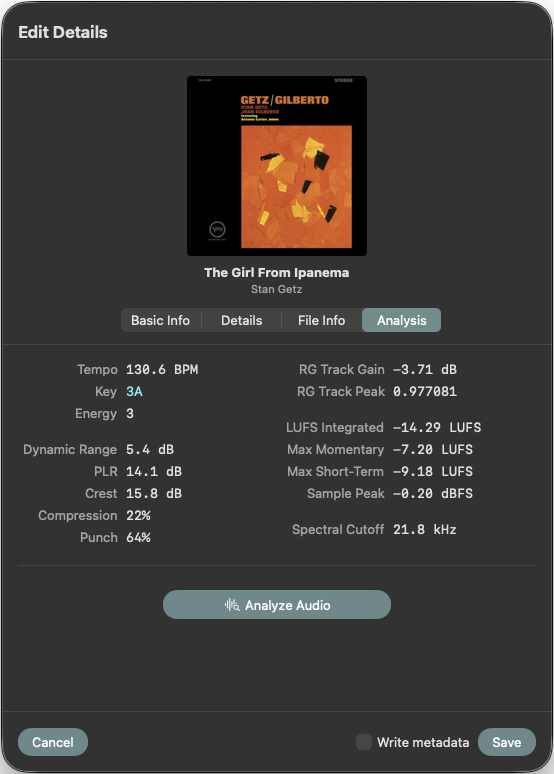
The Edit Details window now has a dedicated Analysis tab with all the technical data the framework gathers. This is also where I can launch analysis directly, which keeps the workflow close to the metadata instead of hiding it in some separate utility corner.
Track Table, context menu, and automation
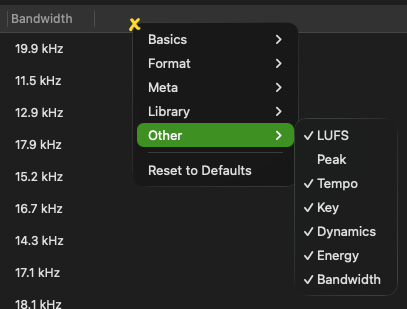
In the Track Table, the new analysis columns live under Other. Loudness, Tempo, Energy, Dynamics, and Key can now be shown right next to the rest of the library data. The old Analyze Loudness action is gone, replaced by a better split: Analyze Audio for everything at once, or Analyze... for selective measuring tasks.
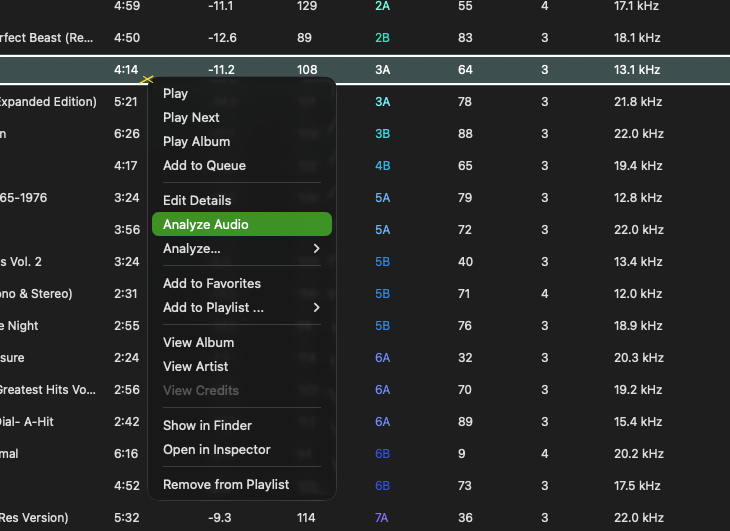
That same analysis flow can now run automatically too. I can trigger it after indexing, on every startup, or both. And because the performance is good enough to run passively across an entire collection, it finally feels like a framework instead of a manual chore.
Once analyzed you can display and sort by these new metrics. Simply right click on the track table header and activate the new columns.
Key display, ordering, and CPU control
I also added musical key notation options for Camelot, Open Key, Flat, and Sharp. If I want the key column to be easier to scan, I can enable color coding in Metadata settings. I can even choose how the Key column is ordered, using Musical, Harmonic Wheel, or Pairs.
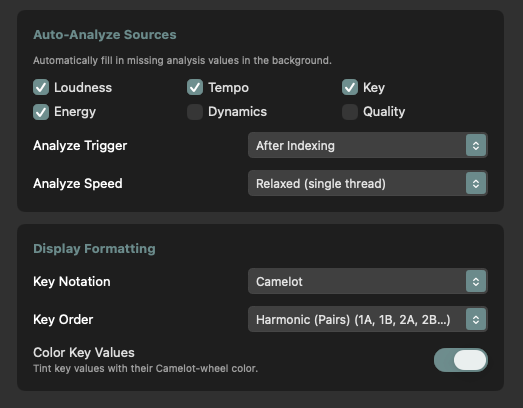
For batch work, there is now a speed option that lets me decide how many CPU cores analysis should use. That means I can push harder when I want speed, or leave more headroom when the machine is busy doing something else.